Restaurant Reservation Widgets and Cookie Consent: The CSP Checklist
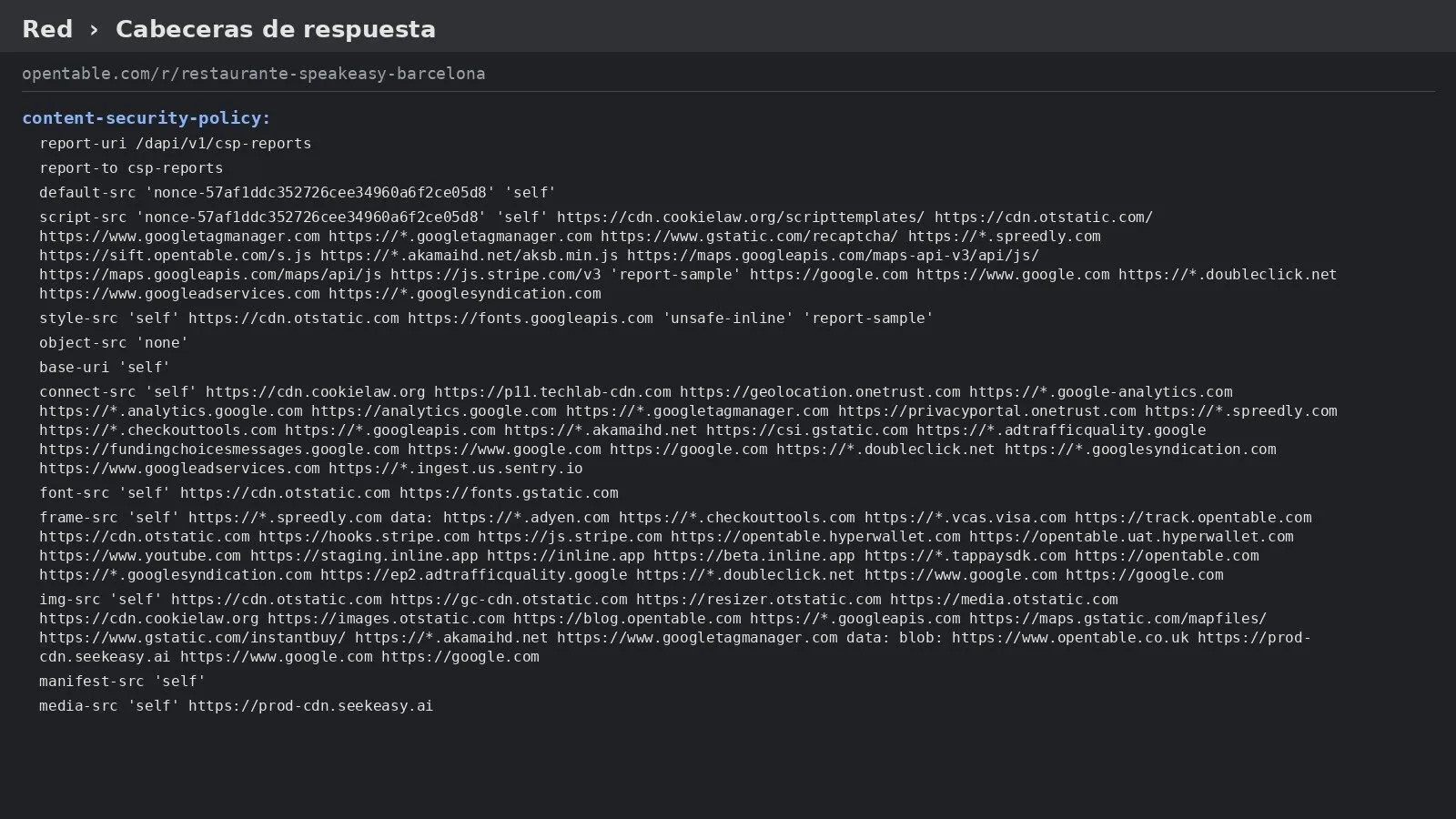
Adding a reservation widget to a restaurant site is rarely just “paste the embed code” — if the site has a Content-Security-Policy header, the widget’s script and iframe will be silently blocked until the policy is updated to allow them, and separately, if the widget sets its own cookies, that’s a consent question CSP doesn’t answer at all.
What Actually Breaks Without a CSP Update
A Content-Security-Policy header tells the browser exactly which domains a page is allowed to load scripts, frames, and data from. A strict policy that was written before the reservation widget existed simply won’t have the provider’s domain on the allowed list, and the browser will block the widget outright — usually with no visible error to a non-technical site owner, just a booking button that quietly does nothing.
The Two Directives That Matter Most
For a typical embedded reservation widget, two CSP directives need to explicitly allow the provider’s domain:
script-src— needed if the widget loads its own JavaScript file to render the booking interface. Without the provider’s domain listed here, the script itself never runs.frame-src— needed if the widget renders inside an iframe rather than mounting directly into the page. Some older browser support also referenceschild-srcfor the same purpose, worth checking if you need to support older browser versions.
If the widget also makes its own API calls from the browser (rather than everything happening
inside an iframe), connect-src needs the provider’s API domain added too, or those requests
get blocked the same way. The same checklist applies to an online ordering widget, not just a
reservation one — see
embedding an online ordering widget without losing attribution
for the ordering-specific version of the same underlying integration.
Why Consent Is a Separate Question From CSP
Getting the widget to load is a CSP problem. Whether it’s allowed to load before a visitor has made a cookie choice is a completely different, legal question — and it isn’t one a developer can decide alone by editing a header. If the reservation provider sets its own cookies independent of any advertising service already on the site, that’s a separate consent obligation from the one covered by Google’s own AdSense consent prompt, which only covers Google’s advertising cookies, not a booking widget’s. The technical fix (loosening CSP) and the legal decision (whether the widget can load before consent) are two different sign-offs, and treating the first as if it settles the second is exactly the kind of mistake that surfaces during a privacy review, not before one.
A Short Checklist Before Adding a Reservation Widget
- Ask the provider directly which domains their script, iframe, and any API calls come from — don’t guess from network traffic alone.
- Add each domain to the correct CSP directive (
script-src,frame-src,connect-srcas needed), and test the booking flow end to end afterward, not just that the widget visually appears. - Confirm with the provider whether their widget sets cookies before any user interaction, and if so, get a legal read on whether that requires its own consent gate separate from advertising cookies.
Getting the widget embedded correctly in the first place — rather than linking out to the provider’s own page — is the prerequisite for any of this being worth doing; see embedding a restaurant reservation widget without losing attribution for that first step.